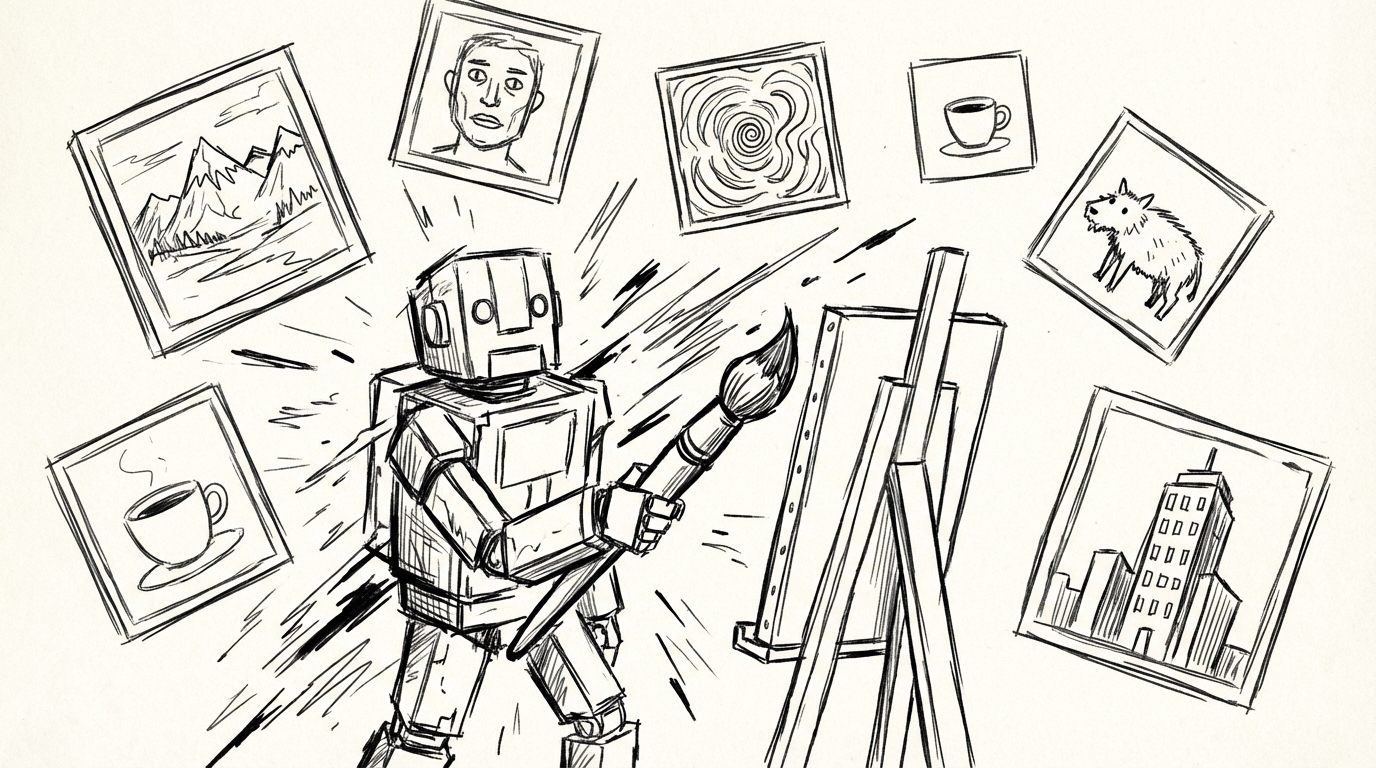
AI Image Agent: Generate One Image or a Hundred — Without Switching Tools
NanoBanana's AI Image Agent handles everything from single concept images to batch style transfers in one conversation. No prompt engineering required.
TL;DR
NanoBanana's AI Image Agent turns natural language into production-ready images — solo or in batches. Describe what you want, and the Agent handles prompt engineering, aspect ratio, model selection, and reference-based style transfer. One chat. No switching tools.
📌 Key Highlights (10-second read)
- ✅ Single image, zero friction: Say "generate an image of X" — the Agent crafts the optimized prompt and fires immediately
- ✅ Batch mode: Up to 20 images in one request — product photos, ad variants, character sheets
- ✅ Style transfer: Pass a reference image, describe the target style — all outputs stay on-brand
- ✅ Storyboard expansion: Drop any image → get 3 cinematic shot prompts for video production
- ✅ Six+ models: From 2-credit drafts to 6-credit flagship quality — Agent picks the right one
- ⏱️ Reading time: 4 minutes
The Problem With "AI Image Generation" Today
Most AI image tools give you a text box. You type something, get a result, adjust, regenerate. Repeat. It works for one image. It doesn't work when you need twenty.
The other problem: prompt engineering. Getting a good image out of a diffusion model requires specific vocabulary — camera angles, lighting conditions, style modifiers, technical aspect ratios. Most people don't want to learn that. They want to describe what they want in plain language and get the right image.
NanoBanana's AI Image Agent solves both. It translates natural language into optimized generation prompts, picks the model for the job, and can run an entire batch in the time it takes to describe what you need.
What the AI Image Agent Can Do
Single Image Generation
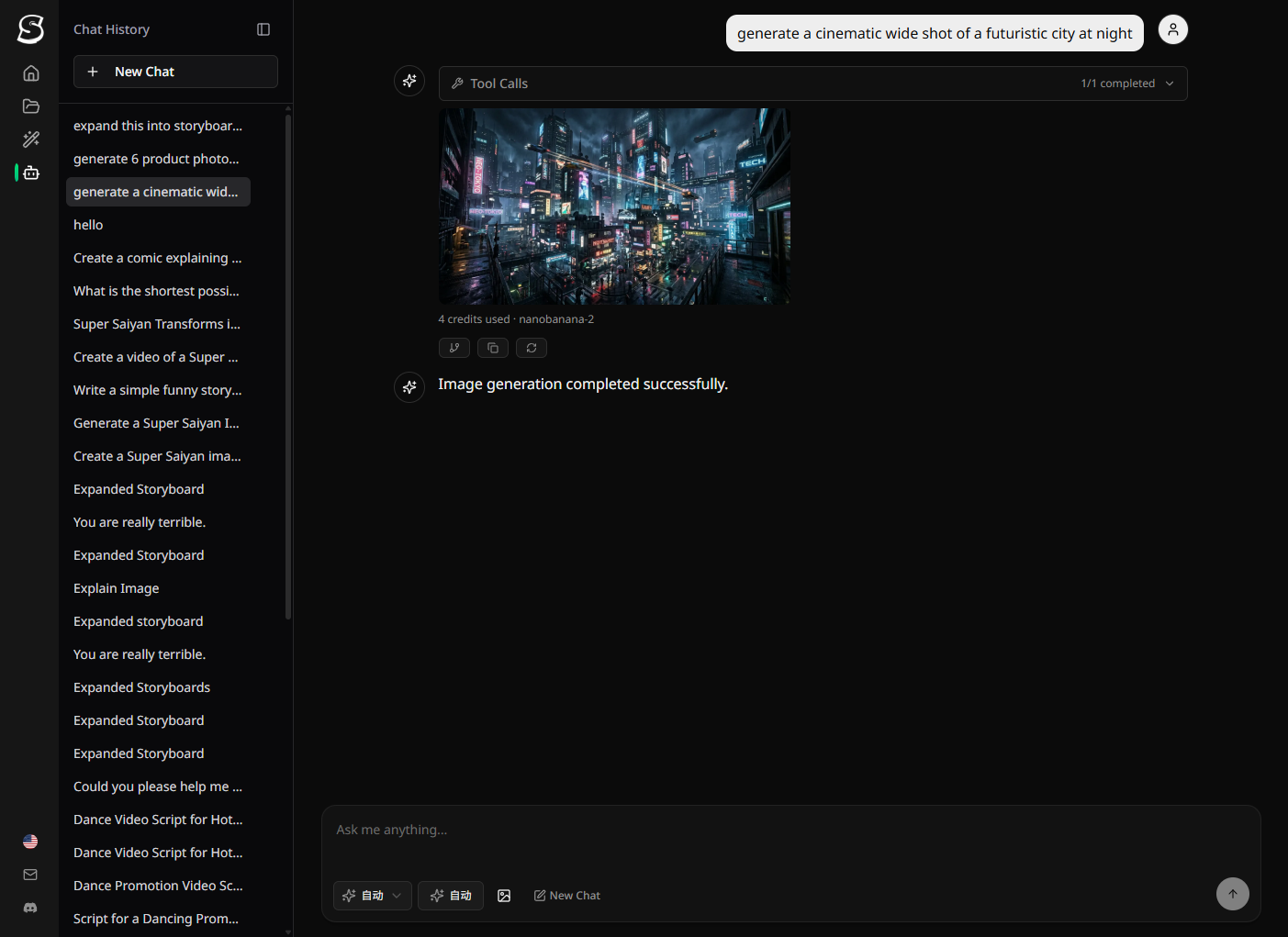
The simplest use case. You describe an image — in any level of detail — and the Agent generates it immediately.
"Make a dark sci-fi cityscape at night, cinematic lighting, wide shot"
Behind the scenes, the Agent:
- Analyzes your intent (subject, style, mood, composition, lighting)
- Chooses the right aspect ratio (16:9 for cinematic, 9:16 for portrait, 1:1 for social)
- Selects an appropriate model based on quality expectation and cost
- Writes a specific, detailed English prompt — no vague descriptors like "beautiful" or "nice"
- Fires immediately — no confirmation dialog
You get the image. If you want a variation, describe the change in natural language.
💡 The Agent never asks "are you sure?" for image generation — it acts immediately, so the feedback loop stays tight.
Batch Image Generation
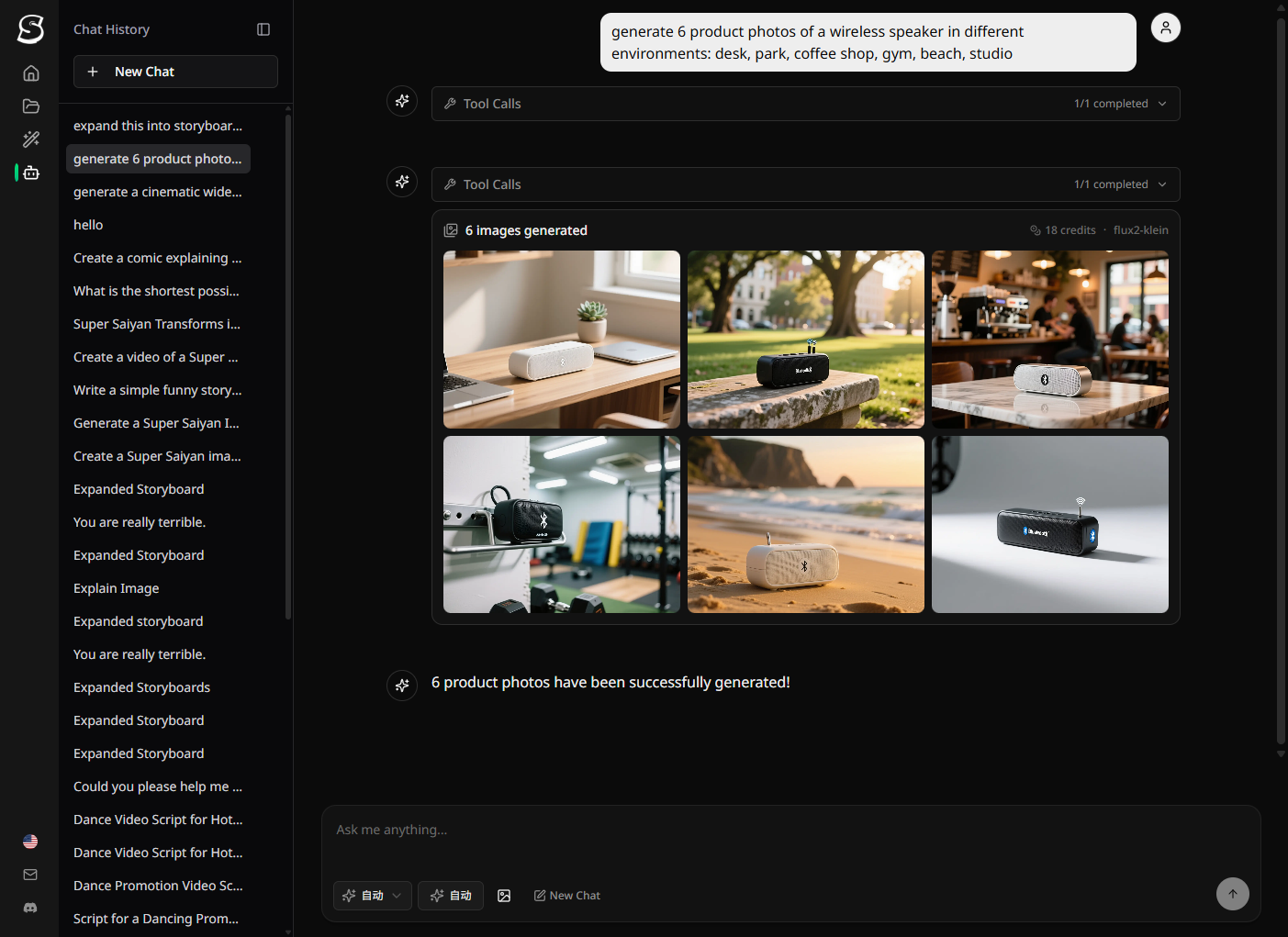
This is where the Image Agent earns its name. Describe multiple image needs in one message, and the Agent submits them all simultaneously.
"Generate 8 product photos of a wireless speaker in different environments: on a desk, outdoor park, coffee shop, gym, kitchen counter, beach, studio white background, and a living room shelf. Modern lifestyle photography feel."
The Agent:
- Builds 8 separate optimized prompts, each tailored to its specific environment
- Submits all 8 in parallel
- Renders them as individual cards that update as each one completes
- Uses a cost-efficient model automatically for large batches
Batch mode supports up to 20 images per request. For larger projects, split into multiple batches.
Style Transfer
Pass a reference image and describe the target style — the Agent applies the transformation consistently across however many outputs you need.
Common use cases:
- Brand consistency: Upload your brand mascot, generate 10 seasonal variations
- Product photography: Upload product shots, convert to a specific aesthetic (anime, oil painting, minimalist line art)
- Character consistency: Create a character once, reuse as a reference for all subsequent generations
The reference image anchors the visual identity. The prompt describes the transformation.
"Take this product photo [image] and recreate it in the style of a vintage 1970s Japanese advertisement poster"
Storyboard Expansion (img → shots)
This is the bridge between Image Agent and Video Agent.
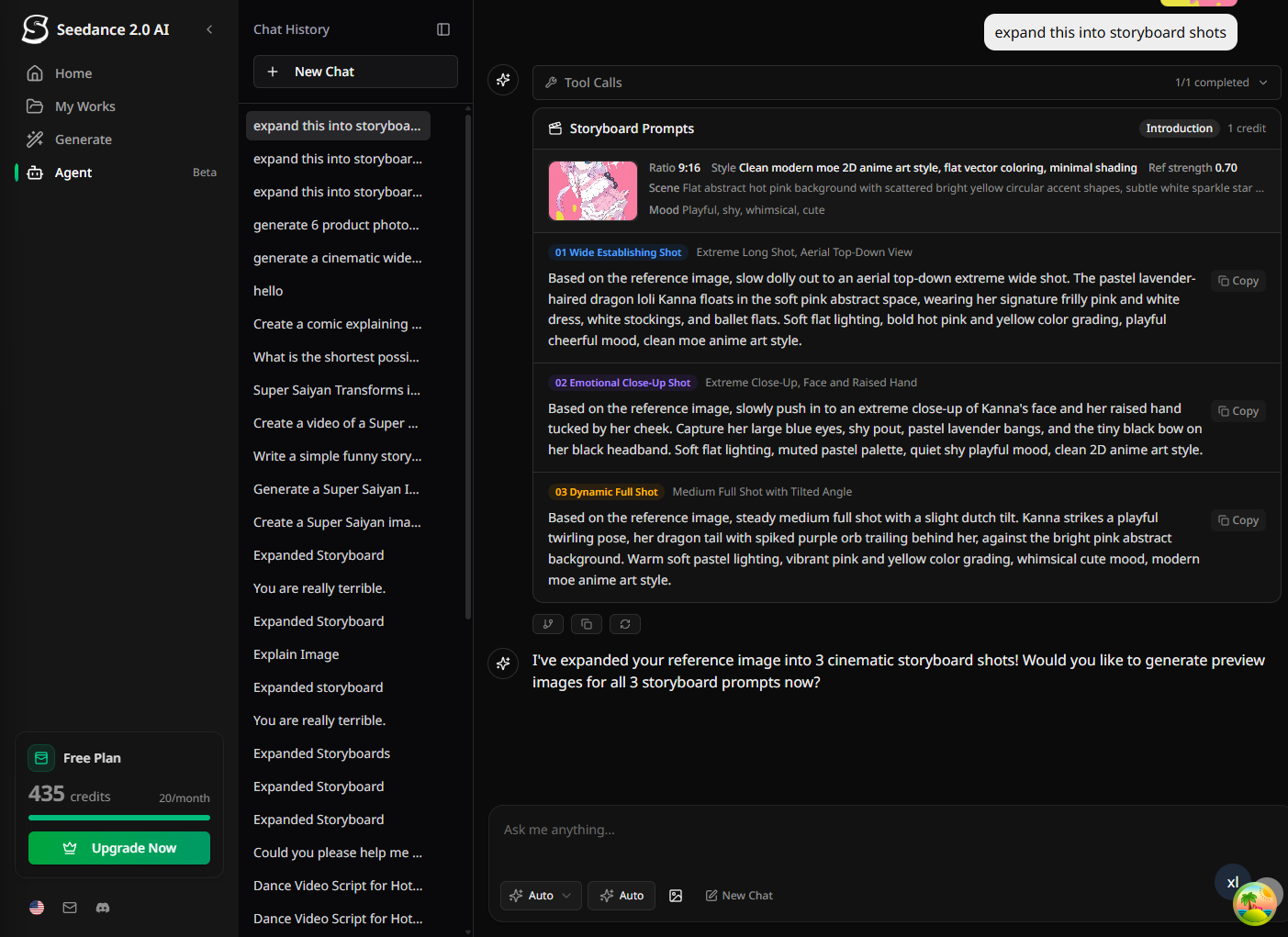
Drop any image into the chat and ask for storyboard prompts. The Agent analyzes the image and generates 3 cinematic shot breakdowns — different angles, movements, and moments from the same scene — each optimized for video generation.
Output:
- Shot 1: Establishing wide shot prompt
- Shot 2: Medium close-up with movement
- Shot 3: Close detail or POV shot
Each prompt is ready to feed directly into NanoBanana's video generation tools. The AI detects the aspect ratio of your source image automatically, so all shots stay proportionally consistent.
After the storyboard appears, the Agent will offer to generate preview images for all 3 shots using your original as the reference — so you can validate the look before committing to video generation credits.
Models and Pricing
The Agent selects a model automatically based on your request context, but you can always specify one. Current options:
| Model | Credits | Best for |
|---|---|---|
| gemini-2.5-flash | 2cr | Fast drafts, iteration |
| grok-imagine | 2cr | Photorealistic, cheap |
| gpt-4o | 2cr | Creative, instruction-following |
| flux2-klein | 3cr | Fast, good quality |
| nanobanana-2 | 4cr | Balanced quality + web grounding (default) |
| flux2 | 4cr | Balanced, versatile |
| seedream-4.0 | 4cr | High quality |
| gemini-3-pro | 6cr | Highest quality |
| flux2pro | 6cr | Premium quality |
| seedream-5.0 | 6cr | Next-gen quality |
For batch jobs (8–20 images), the Agent defaults to a cost-efficient model like flux2-klein (3cr) or grok-imagine (2cr) unless you specify otherwise. A batch of 10 images at 2cr each = 20 credits total.
How It Differs From a Plain Image Generator
| Feature | Plain text-to-image | NanoBanana Image Agent |
|---|---|---|
| Prompt engineering | You write the prompt | Agent writes it from your description |
| Batch generation | One at a time | Up to 20 in parallel |
| Style transfer | Manual prompt construction | Describe the style, pass a reference |
| Model selection | You choose | Agent picks based on request |
| Storyboard for video | Not supported | Built-in shot expansion |
| In-context follow-up | Start over | Modify in the same conversation |
The Image Agent's value isn't a better image model — it's an AI that understands what you're trying to do and handles the technical decisions automatically.
Who This Is For
E-commerce teams who need product photography variations at scale. Upload the source image, describe the target environments or styles, get 20 variants in minutes.
Social media managers who need multiple aspect ratios or visual styles from a single concept. Describe once, generate for all placements.
Designers and creative directors who want to explore visual directions quickly before committing to a photoshoot or illustration commission. Use the Agent as an ideation tool.
Video creators who need reference images before starting the AI Video Director pipeline. Use Image Agent to establish the visual language, then hand the references to the Director Agent for storyboarding.
Getting Started
Open a new chat on NanoBanana and just describe what you want. Some examples to try:
"Generate a minimalist logo concept for a coffee brand called Blackwood. Modern, elegant, monochrome.""Make 5 ad images for a fitness app — show different workout environments, energetic feel, 16:9""Take this reference photo [image] and recreate it as a Studio Ghibli-style illustration""Expand this image into 3 storyboard shots for a product video"
FAQ
Does the Image Agent work without a project or screenplay?
Yes. Image Agent tools are always available — no project setup required. Just describe what you want and generate.
Can I specify the model myself?
Absolutely. Just mention it in your request ("use gemini-3-pro for this") or set a preferred image model in your account preferences. The Agent will always respect your preference unless you ask for something different.
How does batch generation handle failures?
If one image in a batch fails, the others continue. You're only charged for successful generations. Failed items are marked in the result card so you can retry individually.
What's the maximum batch size?
20 images per request. For larger projects, split into multiple batches — the Agent handles this gracefully.
Can I use the generated images as references for more generations?
Yes. Once an image is generated, you can reference it in the same conversation ("use that last image as the reference for the next batch") and the Agent will extract the URL automatically.
Does style transfer work with any image?
Style transfer works best when the reference image clearly establishes the visual identity (character, product, location, or style) you want to preserve. Blurry or low-resolution references may produce inconsistent results.
How is Image Agent different from the AI Video Director?
They're complementary. Image Agent is purpose-built for rapid, flexible image output — single images, batches, style transfers. The AI Video Director is an end-to-end production pipeline — screenplay → characters → storyboard → video clips. Image Agent can feed into the Video Director by providing reference images for character or scene consistency.
Can I use Image Agent for commercial work?
Yes. All images generated on NanoBanana are available for commercial use. Check the terms of service for full details on usage rights.
More Posts
Wan 2.7: Alibaba's New Video Model with First-Frame Control and 15-Second Clips
Wan 2.7 brings first/last frame control, multi-reference video input, and instruction-based editing to Alibaba's open-source video lineup. Here's what changed from Wan 2.6.

Seedance 2.0: The Complete Guide to ByteDance's Multimodal AI Video Generation
Explore Seedance 2.0, ByteDance's revolutionary AI video model featuring multimodal input, native audio-video sync, 2K resolution output, and director-level creative control.
AI Video Director: How NanoBanana's Agent Turns Your Idea Into a Complete Video
NanoBanana's AI Video Director Agent automates the entire video production pipeline — screenplay, characters, scenes, storyboard, and final video clips — from a single prompt.